What Is WhatsApp Coexistence? The Complete 2026 Guide
· Meera Kapoor · 11 min read
Quick Summary: WhatsApp coexistence is a Meta feature that lets one phone number run on the WhatsApp Business app and the official WhatsApp Business API at the same time. Your everyday chats stay on your phone, while a connected platform sends invitations, reminders and RSVPs to hundreds of guests through Meta's official channel, so bulk sending doesn't get your number banned. Last reviewed: October 2026.
Connecting is free. Meta charges per delivered template message, ₹0.8631 for marketing and ₹0.1150 for utility in India, plus 18% GST, and a new number can message 250 new people a day, or 2,000 after Meta business verification. Wedd.ai, a Meta tech provider for WhatsApp coexistence, connects your number with a five-minute QR scan.
If you are planning an Indian wedding, your phone number is doing two jobs at once. It is where your college group teases you about the sangeet playlist, and it is also the number 300 guests will save when your invitation goes out. The moment you try to message all of them from one phone, WhatsApp starts treating you like a spammer.
That is the exact problem coexistence was built to solve. It is a newer Meta feature, and most couples and even many wedding planners have never heard of it. This guide explains what it is, how it works, what it costs, and why it matters more for weddings than for almost any other use case.
What is WhatsApp coexistence mode?
WhatsApp coexistence is a Meta feature that connects one phone number to two systems at once: the WhatsApp Business app on your phone, and the WhatsApp Business API in the cloud. Before coexistence existed, this was impossible. Moving a number to the API meant losing access to it in the app entirely, so businesses had to choose one or the other.
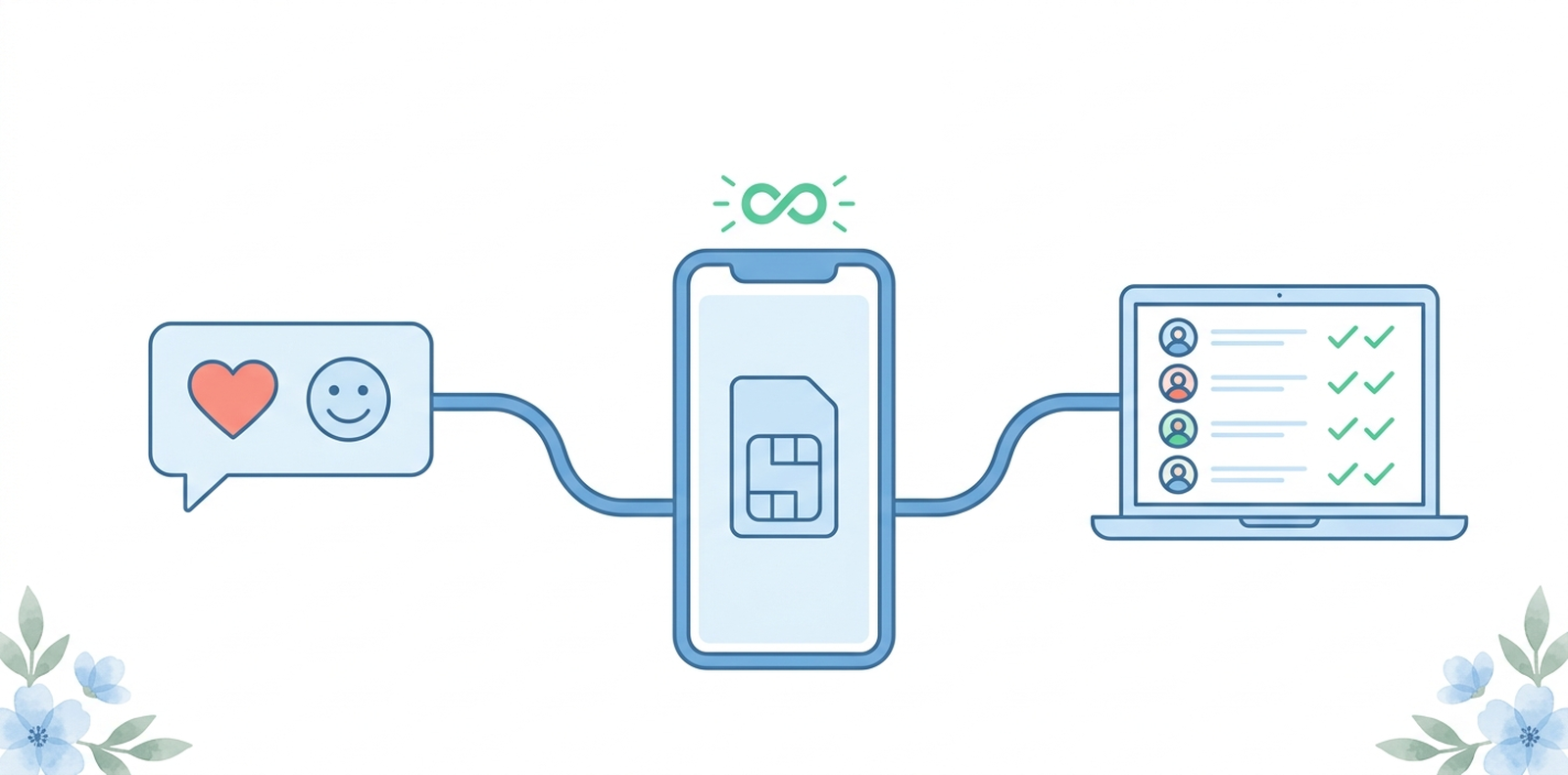
With coexistence, you do not choose. Your chats, voice calls, and status updates keep working on your phone exactly as before. At the same time, a connected platform can use that same number to send approved messages at scale, manage guest lists, and collect replies automatically.
For a wedding, that means the number your guests already know, the one saved in every family contact list, is the same number that delivers the invitation, the venue map, and the RSVP request. No new SIM. No unknown number that half your relatives will ignore.
Why coexistence matters for weddings
An Indian wedding is basically a small business for six months. You are coordinating 200 to 500 guests across multiple events, two families, and at least three languages of aunty commentary. And nearly all of that coordination happens on WhatsApp.
The usual approaches all break down:
Forwarding the invite one chat at a time. Works for 30 guests. Soul crushing for 300, even when you start from a good WhatsApp wedding invitation message.
Broadcast lists. Capped at 256 contacts, and your message only reaches guests who have saved your number. Half your partner's family has not.
A giant wedding group. Now 300 people are debating the dress code at midnight, no matter how well you write the group welcome message.
Bulk sender tools. These unofficial apps blast messages through your personal number, and WhatsApp bans numbers for exactly this. Plenty of couples have lost their number for 72 hours, or permanently, two weeks before the wedding.
Coexistence is the official route around all four problems. Messages go out through Meta's own API, which is designed for exactly this kind of volume, so there is nothing to get banned for.
Can I use the same number on the WhatsApp Business app and the API?
Yes, and this is the whole point of coexistence. One number runs in both places simultaneously. You keep chatting normally from the WhatsApp Business app on your phone, while the API handles the heavy lifting in the background.
A few things to know about how the two sides share the number:
Messages you send manually from your phone work exactly as before.
Messages sent through the API appear in your app too, so you always see what guests received.
Replies from guests land in both places. You can answer from your phone or let the platform handle them.
Calls and status stay on your phone only. The API does not touch them.
The one real requirement is that the number must be on the WhatsApp Business app, the free green one, not regular personal WhatsApp. If your number is on personal WhatsApp today, switching to the Business app takes about five minutes and keeps all your chats.
How is coexistence different from a bulk sender tool?
They could not be more different, even though both promise to message everyone at once.
Bulk sender tools are unofficial software that automates your personal account, sending hundreds of messages the same way you would by hand, just faster. Meta's systems are built to detect exactly this pattern. The result is the story every wedding planner in India has heard: invitations went out Monday, the number was banned Tuesday, and the couple spent the week appealing the ban instead of finalising the menu.
Coexistence works through the WhatsApp Business API, which is Meta's official channel for high volume messaging. Your messages are sent with Meta's knowledge and approval, using message templates that are reviewed before they go out. Bans simply do not apply, because you are not breaking any rules to begin with.
If a tool asks you to install an APK, scan your WhatsApp Web QR code into unknown software, or promises unlimited free messages, that is a bulk sender. If it walks you through Meta's own signup and connects through the API, that is the official route.
What do you need before you can turn it on?
The checklist is short:
The WhatsApp Business app on your phone, updated to a recent version.
A phone number you control, the one you want guests to see.
A Meta Business account, which is free and takes a few minutes to create if you do not have one.
A platform that supports coexistence, built by a Meta tech provider, to actually manage guests and send messages.
That last item matters because you cannot switch on coexistence from inside WhatsApp itself. The feature only activates when a tech provider platform initiates the connection.
How do you set up coexistence? The QR scan walkthrough
Setup takes a few minutes and feels a lot like linking WhatsApp Web.
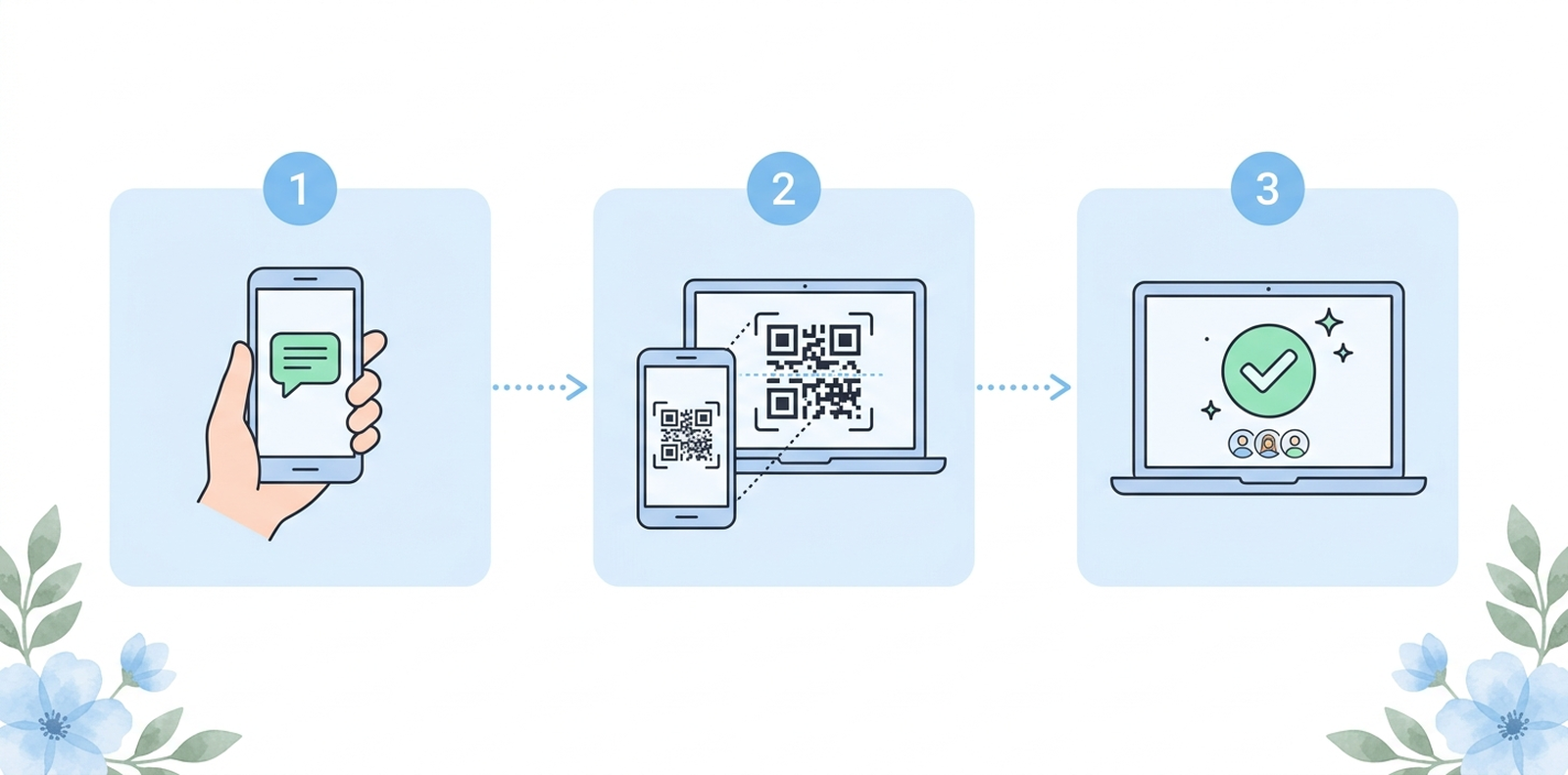
Start from the platform. In Wedd.ai, you begin the WhatsApp connection from your dashboard, which opens Meta's official embedded signup.
Scan the QR code. The platform shows a QR code. You scan it from your WhatsApp Business app, the same gesture you use to link a laptop.
Choose what to share. WhatsApp asks whether you want to sync existing chats and contacts to the platform. This is your choice, and you can keep history off.
Done. Your number is now live on both sides. Your phone works as before, and your guest platform can start sending.
There is no downtime, no re-verification of your number, and nothing your guests notice. The first thing most couples do is send themselves a test invitation to watch it arrive from their own number.
Will my personal chats stay private?
Your ongoing personal conversations stay on your phone. During setup, WhatsApp explicitly asks whether you want to share existing chat history with the connected platform, and you can decline. If you do share, it is so you can see guest conversations in one dashboard, not so anyone can browse your group chats.
A good platform only works with the contacts you upload as guests and the conversations that flow through wedding messages. Your chats with friends, your family groups, and your calls are simply not part of what the API sees. Meta designed coexistence this way deliberately, because the entire feature depends on people trusting it with their primary number.
What can you actually do once you are connected?
This is where the wedding payoff shows up.
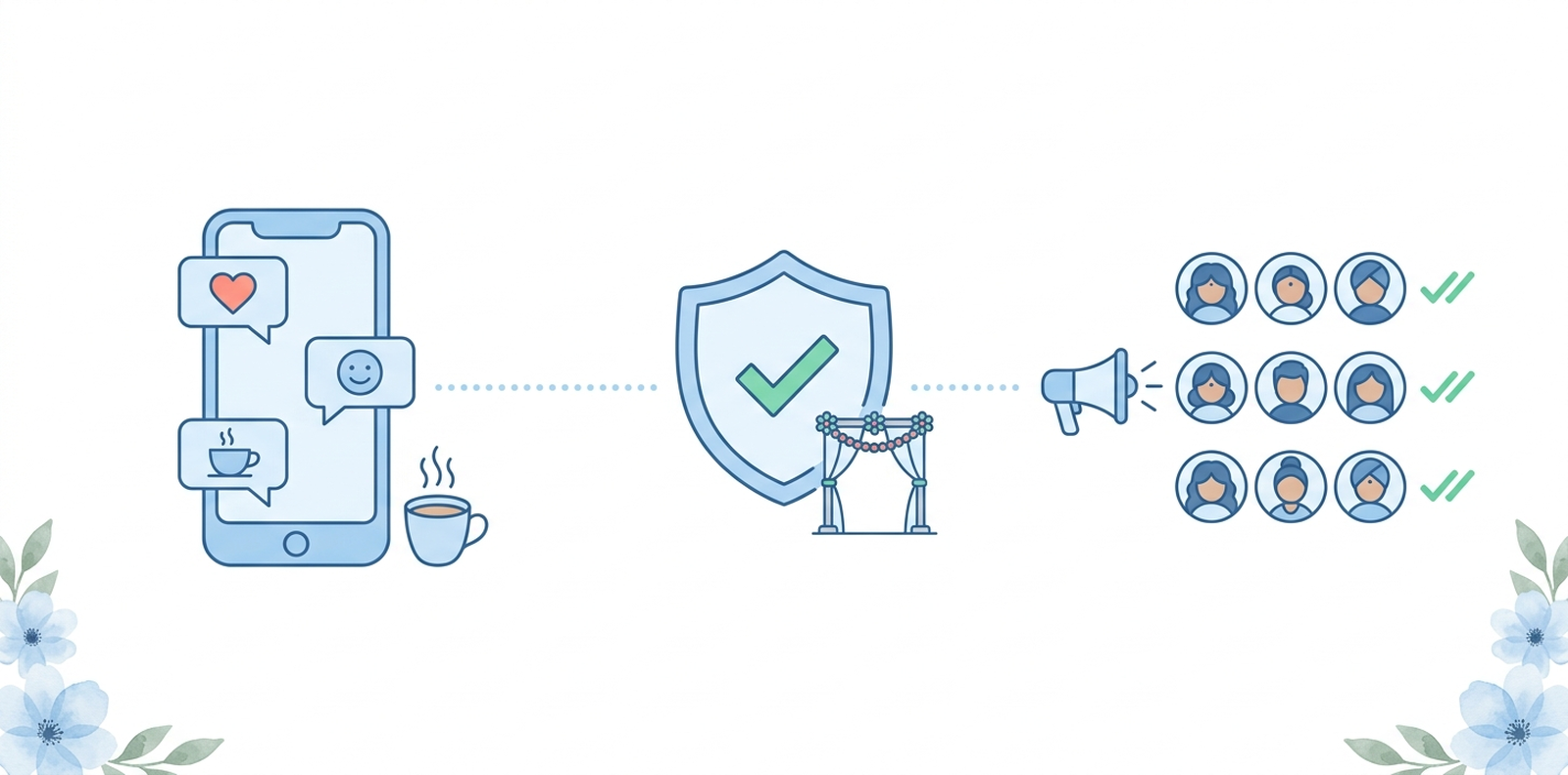
Send invitations to every guest at once, whether or not they saved your number. API messages do not have the broadcast list limitation.
Collect RSVPs with tappable buttons. Guests tap Attending or Can't Make It, and your guest list updates itself. No more counting thumbs up emojis, and no separate RSVP tool to reconcile against.
Send event reminders on schedule. Haldi at 10 am, baraat assembly point, shuttle timings. Written once, delivered to the right guests at the right time, starting with the save the date.
Segment by event and family. The sangeet guest list gets sangeet updates. The pandit does not need the bachelor party details. This is far easier when you have already built the guest list properly.
Answer common questions automatically. Venue location, dress code, timings for each function. Set the answers once.
Keep chatting personally. Through all of this, your phone is still yours. When masi replies to the invitation with a voice note, you answer it yourself, from your phone, like a human.
What does coexistence cost in India?
Coexistence itself is free. Meta does not charge for connecting your number. What costs money is the messaging that flows through the API, and the platform you use.
Meta's per-message fees. Since January 2026 Meta bills India in rupees. Marketing template messages cost ₹0.8631 (about 86 paise) each, and utility messages like reminders and confirmations cost ₹0.1150 (about 11.5 paise). Replying to a guest within 24 hours of their message is free. Add 18% GST. Meta's rates are the same on every platform; full details are in what WhatsApp messaging costs.
Practical math. An invitation plus three reminders to 300 guests comes to about ₹363 in Meta fees, or about ₹430 with GST. Less than one wedding card.
Daily limits. New numbers can start conversations with 250 new people per day, which rises to 2,000 after Meta business verification, then higher on its own as your message quality holds. Since late 2025 the limit is shared across every number in a Meta Business portfolio rather than counted per number. For most family guest lists, 250 a day is enough when invitations are spread over a few days.
Platform pricing. Whatever your guest management platform charges is separate from Meta's fees.
What is a Meta tech provider?
A Meta tech provider is a company Meta has approved to build products on the WhatsApp Business API and onboard businesses onto it. Only tech providers can offer coexistence, because the connection runs through Meta's embedded signup, which is restricted to approved partners.
This matters when you pick a wedding platform. If a tool offers WhatsApp features but is not working with Meta's API through an approved provider, it is doing something unofficial with your number, and unofficial is how numbers get banned. Wedd.ai, a Meta tech provider for WhatsApp coexistence, connects your number through Meta's own signup flow, which you can verify yourself because the QR scan happens inside your WhatsApp Business app rather than some third party website.
Coexistence vs the alternatives
| Guest limit | Reaches guests who didn't save you | Ban risk | Personal chats unaffected | RSVP tracking | |
|---|---|---|---|---|---|
| Forwarding manually | None, but manual | Yes | Low, at small volume | Yes | No |
| Broadcast list | 256 | No | Medium at volume | Yes | No |
| Wedding group | 1,024 | Yes, if they join | Low | No, it is chaos | No |
| Bulk sender tool | Unlimited on paper | Yes | Very high | Yes, until the ban | No |
| Dedicated API number | Very high | Yes | None | Yes, but it is a new unknown number | Yes |
| Coexistence | Very high | Yes | None | Yes | Yes |
The dedicated API number route, taking a brand new number just for the API, works fine for companies. For a wedding it has one fatal flaw: guests do not recognise the number, and messages from unknown numbers get ignored, muted, or reported. Coexistence gives you API scale on the number people already trust.
Send your wedding invites the official way
Coexistence is the rare Meta feature that feels like it was designed with Indian weddings in mind: one trusted number, hundreds of guests, zero ban anxiety, and your personal chats left exactly where they belong.
Wedd.ai, a Meta tech provider for WhatsApp coexistence, connects your number in a five-minute QR scan and gives you invitations, RSVPs, reminders, and guest lists on top of it. Connect your WhatsApp number with Wedd.ai and send your first invitation from the number your guests already know.
Frequently Asked Questions (FAQs)
Is WhatsApp coexistence official, or is it a workaround?
Completely official. Coexistence is a Meta feature, announced and documented by Meta, and available only through approved tech providers. It is the opposite of a workaround: it exists so businesses and hosts stop needing workarounds like bulk sender tools that get numbers banned.
Do my guests need to do anything differently?
No. Guests just receive normal WhatsApp messages from your number and reply like they always do. Tappable RSVP buttons appear inside the chat like any other message. Nothing to install, nothing to join.
Can I disconnect coexistence later?
Yes. You can unlink the platform whenever you want, and your number keeps working in your WhatsApp Business app as if nothing happened. Coexistence is a connection, not a migration.
Will coexistence work if my number is on regular personal WhatsApp?
You will first need to move the number to the free WhatsApp Business app, which preserves your chats and takes a few minutes. Coexistence only works with the Business app, not personal WhatsApp.
Can wedding planners use one number for multiple client weddings?
Yes, and many do. A planner connects their business number once, then manages each wedding guest list and message flow separately on the platform, while still taking client calls on the same number.
What happens if my number was already banned for bulk messaging?
First recover it: appeal inside the app through Request a Review, or email support@whatsapp.com from your registered email. Once the number is restored, connecting through coexistence is exactly how you avoid a repeat, because future messages go through the official API.
Does coexistence let me message guests forever?
Business initiated messages must use Meta approved templates, and once a guest replies you have a free 24 hour window to chat normally. In practice, invitations, reminders, and RSVPs all fit this model naturally.