
WhatsApp Broadcasts
What Is WhatsApp Coexistence and How Does Wedd.ai Use It?
WhatsApp coexistence lets one number run on the WhatsApp Business app and the WhatsApp Business API at once. Here's how Wedd.ai uses it to message your guests from your own number.
By Wedd.ai Team · Updated August 3, 2026
Quick answer: WhatsApp coexistence is a Meta feature that lets one phone number run on the WhatsApp Business app and the WhatsApp Business API at the same time. Wedd.ai, a Meta tech provider for WhatsApp coexistence, uses it to send your invitations, guest updates, and RSVP requests officially from your own number — while your everyday chats stay untouched on your phone.
If you have ever wondered how Wedd.ai can message 300 guests from your number without your phone doing anything, this page is the answer. It is the one feature everything else in Wedd.ai’s guest messaging is built on, so it is worth two minutes to understand.
What is WhatsApp coexistence?
WhatsApp coexistence connects a single phone number to two systems at once: the WhatsApp Business app on your phone, and the WhatsApp Business API in the cloud. Meta introduced it because businesses previously had to pick one — moving a number to the API meant losing it in the app completely.
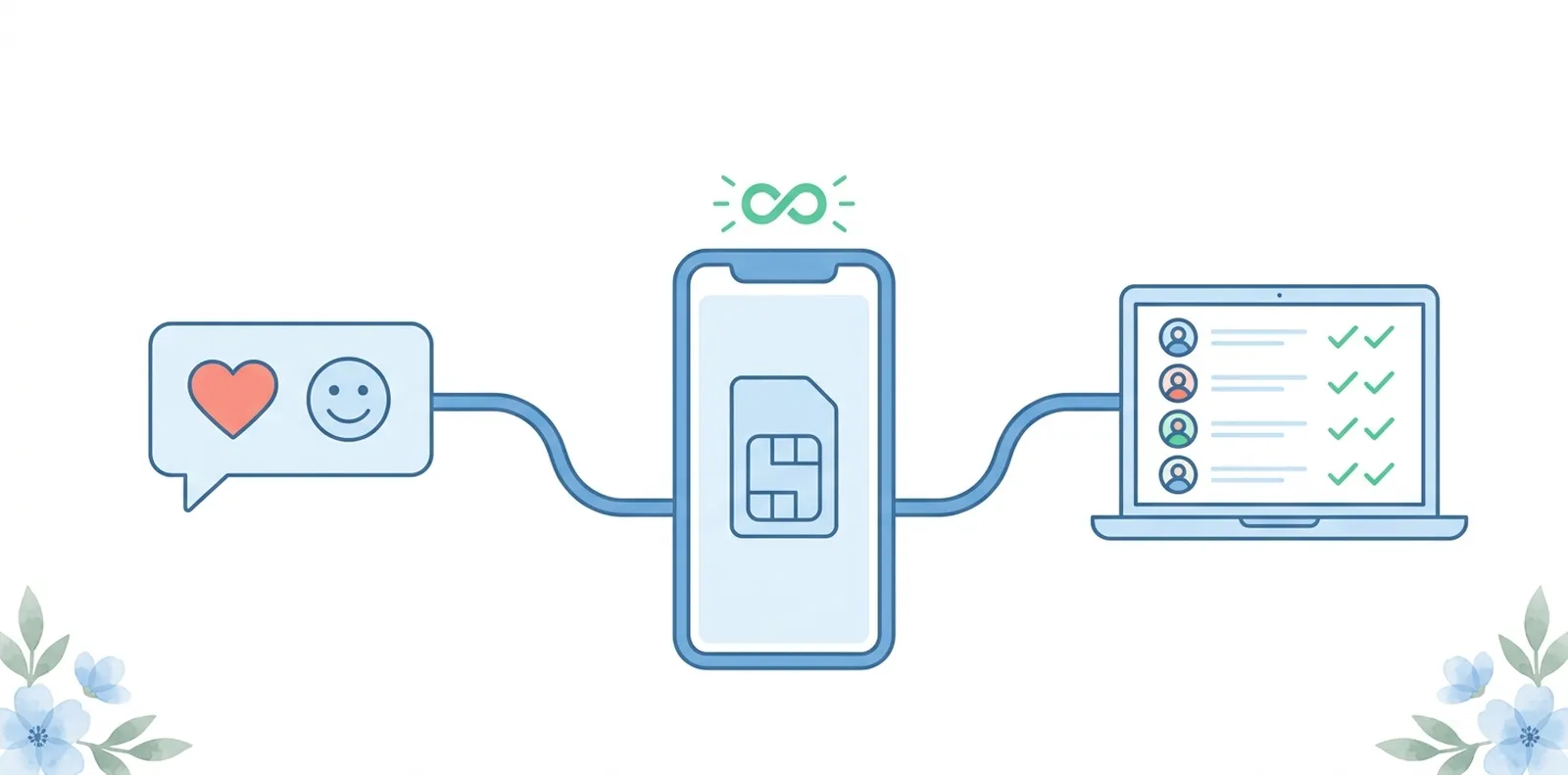
With coexistence turned on:
- Your phone works exactly as before. Chats, calls, voice notes, status updates — nothing moves, nothing is deleted.
- The same number also becomes available to a connected platform (that’s Wedd.ai), which can send Meta-approved messages at scale and collect replies automatically.
Think of it as your number getting a second, official lane. The personal lane stays yours. The second lane handles the wedding.
Why does Wedd.ai use coexistence instead of a separate number?
Because for a wedding, the number matters. Your guests already have it saved. Messages from it get opened; messages from an unknown business number get ignored, or worse, reported.
The old alternatives each fail in a familiar way. Broadcast lists cap out at 256 people and only reach guests who saved your number. Bulk-sender tools blast from your personal number and routinely get it banned mid-planning. A new SIM just for the wedding means half your relatives never realise it’s you.
Coexistence removes the trade-off: official, high-volume sending, from the number your family already trusts.
What does Wedd.ai actually do with the connection?
Once your number is connected, Wedd.ai uses the API side of coexistence to run your guest communication:
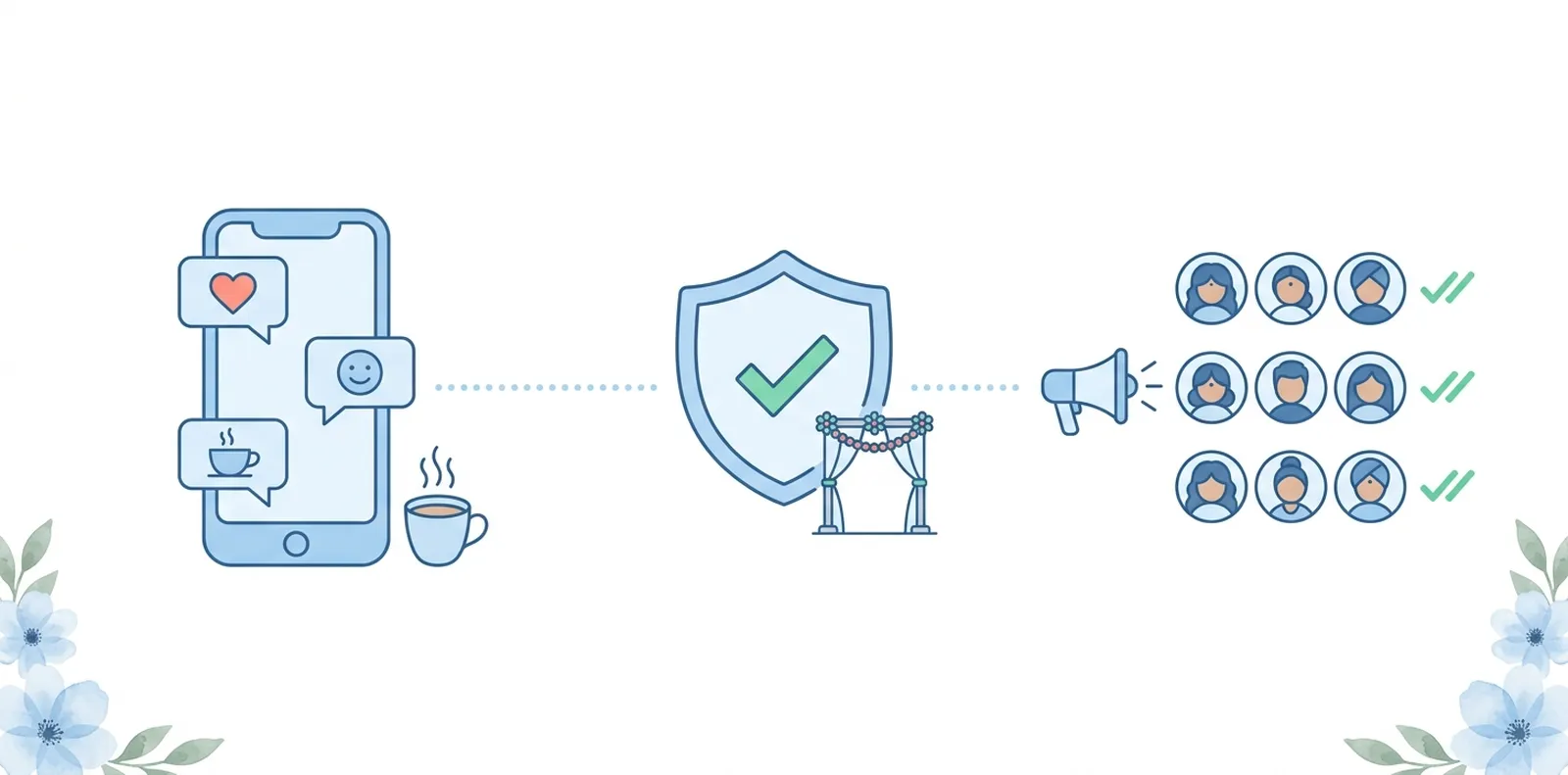
- Invitations and save-the-dates go out to your full guest list — 100 or 900 people — without the 256-contact broadcast cap.
- RSVPs are collected automatically. Guests reply inside WhatsApp, and Wedd.ai tallies confirmations, declines, and headcounts for you.
- Event reminders and updates (venue maps, timing changes, dress codes) reach everyone, including guests who never saved your number.
- Replies land in one dashboard, so you and your planner can see who asked about parking without scrolling through 40 personal chats.
All outbound bulk messages use Meta-approved templates, which is what keeps this on the right side of WhatsApp’s rules.
Will Wedd.ai see my personal chats?
No. Coexistence gives Wedd.ai access only to the business messaging it manages — the campaigns you send through the dashboard and the guest replies to them. Your personal conversations, groups, and call history stay on your phone, end-to-end encrypted, exactly as before. Disconnecting later doesn’t affect them either.
During setup, WhatsApp asks whether you want to share existing chats and contacts with the connected platform. That choice is yours, and it is shown on your phone screen, not decided by Wedd.ai.
Is this officially allowed by WhatsApp?
Yes. Coexistence is a feature Meta built and ships as part of the WhatsApp Business Platform — it is not a workaround, a mod, or an unofficial bridge. Wedd.ai is a Meta tech provider, which means Wedd.ai integrates with the WhatsApp Business API under Meta’s partner terms, and your number is onboarded through Meta’s own signup flow with a QR scan you approve on your phone.
That’s also why this route protects your number instead of endangering it: the sending happens through infrastructure Meta monitors and rate-controls, not through a script pretending to be you.
What do I need to use it?
Three things, all quick:
- Your number on the WhatsApp Business app (the free app — if you’re on personal WhatsApp today, switching takes a few minutes and keeps your chats).
- A Wedd.ai account with your wedding set up.
- Five minutes with your phone to scan the connection QR code.
The full setup is covered step by step in How to connect your WhatsApp number to Wedd.ai.
Frequently Asked Questions (FAQs)
Can I really use the same number on the WhatsApp Business app and the API?
Yes — that is precisely what coexistence is. Before it existed, a number could live on either the app or the API, never both. With coexistence, the app on your phone and the API in the cloud share the number, and messages sent on either side stay in sync.
Will my number get banned for sending to hundreds of guests?
No. Bans happen when unofficial tools bulk-send from the app side, which violates WhatsApp's terms. Through coexistence, bulk messages go via the API using Meta-approved templates within Meta's sending limits, so high volume is expected and permitted rather than flagged as spam.
Do my guests need to save my number to get messages?
No. That limitation belongs to the app's broadcast lists, which only deliver to people who saved you. API messages sent through Wedd.ai deliver to every valid WhatsApp number on your guest list, saved or not — one of the biggest practical differences coexistence makes.
What do guests see on their side?
Just a normal WhatsApp message from your number, with your name and photo. There is no "sent via Wedd.ai" tag. If you later add a verified business profile or green tick, guests see that too.
What happens after the wedding?
You can disconnect your number from Wedd.ai whenever you like. The app on your phone keeps working throughout and afterwards — coexistence never took your chats anywhere, so there is nothing to restore.